
Cards & layouts
This page shows every WakaTime card layout and the image parameters that all cards accept. Every example below is a static SVG committed to the repository, so the page needs no API or backend at render time.
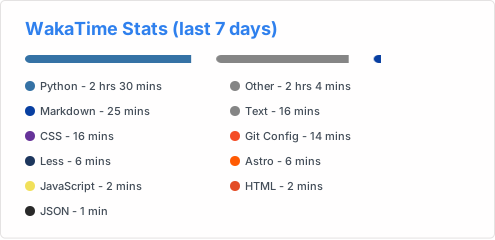Layouts
Section titled “Layouts”Set the layout with layout=…. Without the parameter the card uses normal.
| Layout | layout value | What it shows |
|---|---|---|
| Normal | normal | Title, one row per language with a progress bar and the duration. |
| Compact | compact | Two columns of languages with a stacked segmented progress bar. |
| Text only | normal | The normal layout with hide_progress=true: names and durations, no bars. |
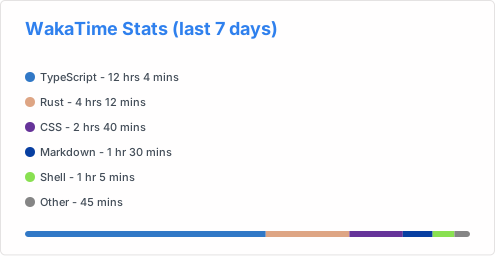
| Poster | poster | A language column plus a segmented bar, with room for an embedded image on the right. |
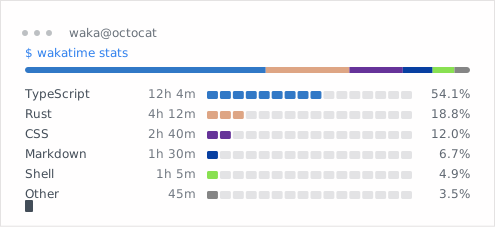
| Terminal | terminal | A waka@username window with a $ wakatime stats prompt and a block bar per row. |
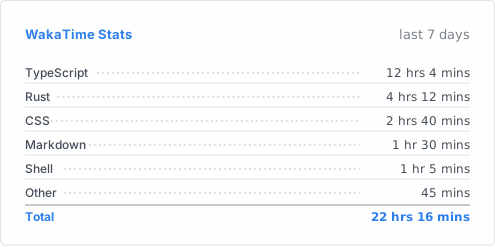
| Timesheet | timesheet | Dotted leaders to a right-aligned duration column and a bold total row. |
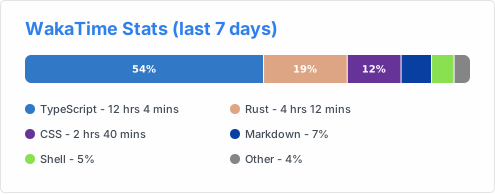
| Ribbon | ribbon | One thick ribbon of language-colored segments plus a two-column legend. |
| Editorial | editorial | Oversized language names, right-aligned durations and thin rules. |
Normal
Section titled “Normal”
Compact
Section titled “Compact”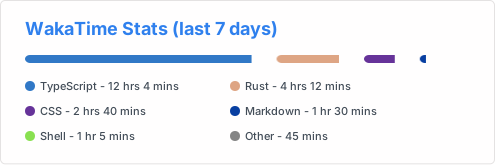
Text only
Section titled “Text only”
Poster
Section titled “Poster”The poster layout keeps a right-hand column free for an embedded image. Leave
image_url out and the language column uses the full card width.
Terminal
Section titled “Terminal”The terminal layout uses square corners, so border_radius is ignored.
hide_progress=true removes the block bars and percentages.
Timesheet
Section titled “Timesheet”The total row only counts the languages visible after hide and langs_count.
display_format=percent switches the duration column to percentages.
Ribbon
Section titled “Ribbon”Segments of at least 12% show their percentage inside the ribbon; narrower segments are labelled in the legend below.
Editorial
Section titled “Editorial”The editorial layout draws no title unless you pass custom_title. Combine it
with hide_border=true for a borderless look.
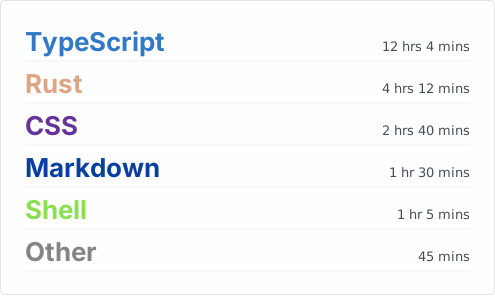
Image parameters
Section titled “Image parameters”All five cards accept the same image parameters. The server fetches image_url
and embeds it into the SVG as a data URI, so GitHub’s Camo proxy can render it
and no external request happens from the visitor’s browser.
| Name | Description | Type | Default |
|---|---|---|---|
image_url | Public HTTPS URL of the image to embed. | string | null |
image_pos | Where to draw it: left, right, top or background. | enum | right |
image_size | Size as a percentage of the card height, clamped to 20–60. | number | 40 |
image_shape | Clipping shape: rect, rounded or circle. | enum | rounded |
image_opacity | Opacity between 0 and 1. | number | 1 |
See the WakaTime card page for the remaining options.